Tu as déjà tout essayé. Ce qu'il te manquait, c'était un endroit pour respirer enfin
Pas de tableau de bord à configurer pendant 2 heures avant de pouvoir s'en servir. Tu notes ce qui te passe par la tête, LucidNest t'aide à le retrouver - et pour une fois, tu n'as plus à t'en souvenir par toi-même.
Avant et après LucidNest
Cinq situations que tu as probablement déjà vécues - et ce qui change avec LucidNest.
Notion pour les notes, Todoist pour les tâches, ton agenda à part - tu sautes entre 12 onglets. Le soir, tu ne sais même plus ce que tu as vraiment fait.
Un seul espace de travail. Tes tâches, tes notes, tes projets, ton agenda - tout connecté, rien à recopier d'un outil à l'autre.
« Faire le rapport Q4 » - tu regardes ce titre depuis 3 jours. Trop vague. Tu ouvres autre chose à la place.
Orliva découpe la tâche en 6 étapes de 15 minutes. Tu commences par la plus facile. Une heure plus tard, tu en as fait 4.
Tu commences une tâche. 47 secondes plus tard, tu es ailleurs. Tu reviens. Une notif. Tu disparais 20 minutes. Multiplie ça par 30 fois par jour.
Pomodoro adaptatif : 25 minutes de focus, notifications coupées, son ambiant apaisant. Tu finis le bloc. Pause de 5 minutes. Tu prends le rythme, un bloc à la fois.
L'idée du siècle te frappe sous la douche. Tu la notes où - Notion ? Un papier ? Le lendemain : disparue.
Capture en 2 secondes depuis n'importe où. L'IA la classe automatiquement dans le bon cahier - plus besoin de fouiller pour la retrouver.
Réunion de 30 minutes pour aligner 5 personnes. Courriel confus. Fil de discussion perdu. Personne ne sait qui fait quoi pour vendredi.
Tableau kanban partagé. Chaque tâche assignée, chaque échéance visible, chaque blocage remonté. Tu sais en 30 secondes où en est l'équipe.
Des notes qui se retrouvent
Écris où tu veux : LucidNest relie tout seul les notes qui parlent du même sujet, sans classement à refaire après coup.
Vois où ça bloque
Un tableau par projet ou une vue de tout à la fois - tu sais en un coup d'oeil ce qui avance et ce qui traîne.
Le temps qui file, enfin visible
Minuteur Pomodoro et rapports simples : tu vois où passent tes heures, sans tenir de journal à la main.
Des priorités qui bougent avec toi
Les urgences remontent seules, les tâches récurrentes se recréent seules - tu n'as pas à tout replanifier chaque matin.
Ta semaine, résumée
Graphiques et tendances sur ton activité récente - pour voir le chemin parcouru, pas pour te faire noter.
Un mur entre tes vies
Famille, école, boulot : chaque grand pan de ta vie dans son coin, pour ne plus tout voir en même temps.
Pense en carte, pas en listeForfait Pro
Pose tes idées sur une toile et relie-les avec des flèches - utile quand une liste à puces n'arrive pas à suivre ta tête.
Transfère, n'archive pas
Fais suivre un courriel à ton adresse LucidNest : il devient une note dans ton inbox, sans copier-coller.
Une tâche, un responsable clair
Assigne-la à un coéquipier en un clic, elle apparaît dans sa liste - fini les « je pensais que tu t'en occupais ».
Tout, d'un coup d'oeil
Cahiers, projets, parcours : une vue d'ensemble de tout ce que tu as créé, avec les liens entre eux déjà tracés.
Tes notes, même dans ChatGPT
Retrouve et mets à jour tes tâches et tes notes depuis ChatGPT ou Claude Desktop, avec un accès personnel que tu coupes quand tu veux.
Cartographies
Structurez un parcours d'apprentissage avec leçons, échéances et suivi de progression - rabais étudiant et enseignant disponible
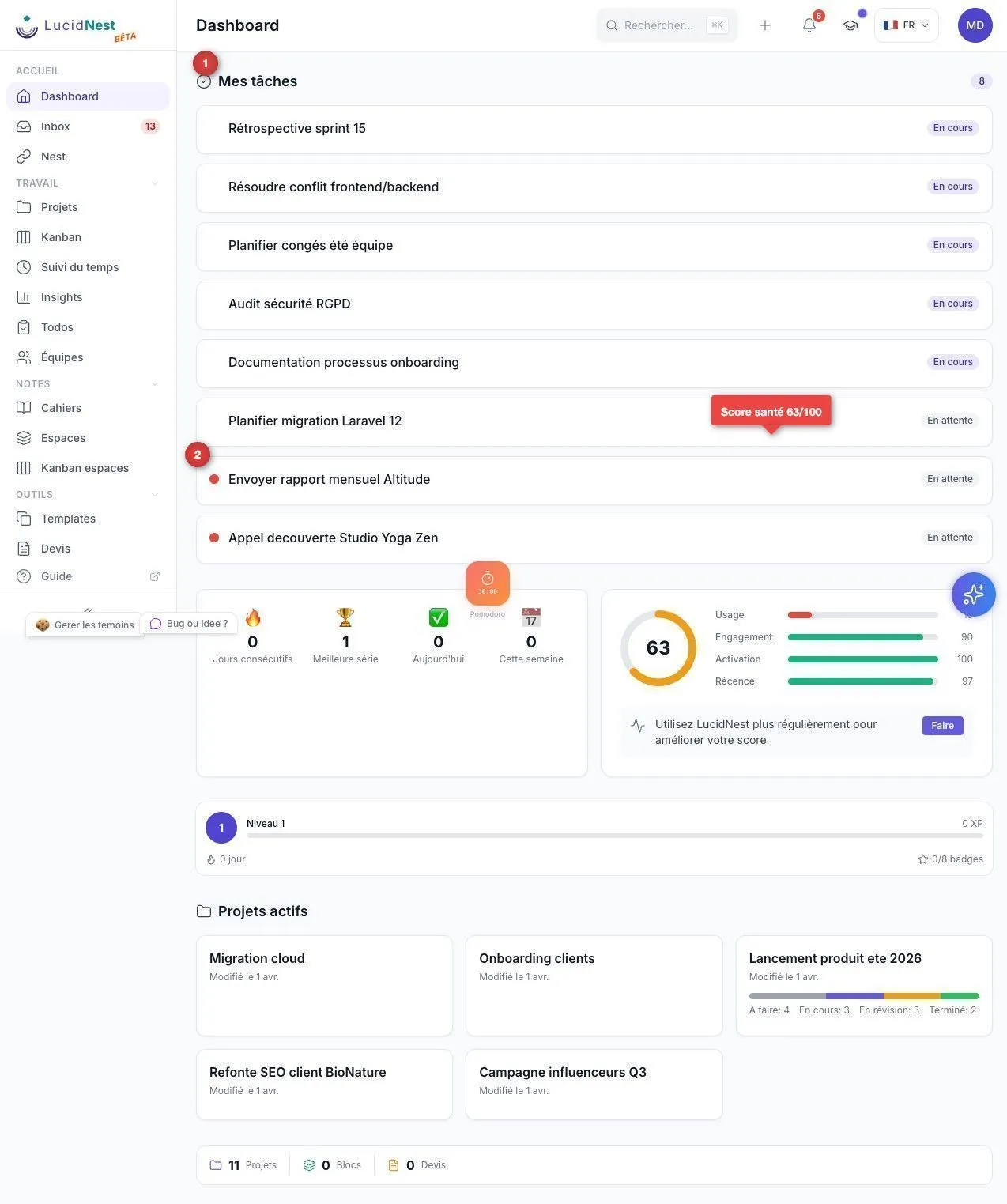
Tableau de bord
-
Vue d'ensemble de tes projets et tâches
-
Widgets de productivité et statistiques
-
Accès rapide aux éléments récents
-
Résumé de ton activité en temps réel
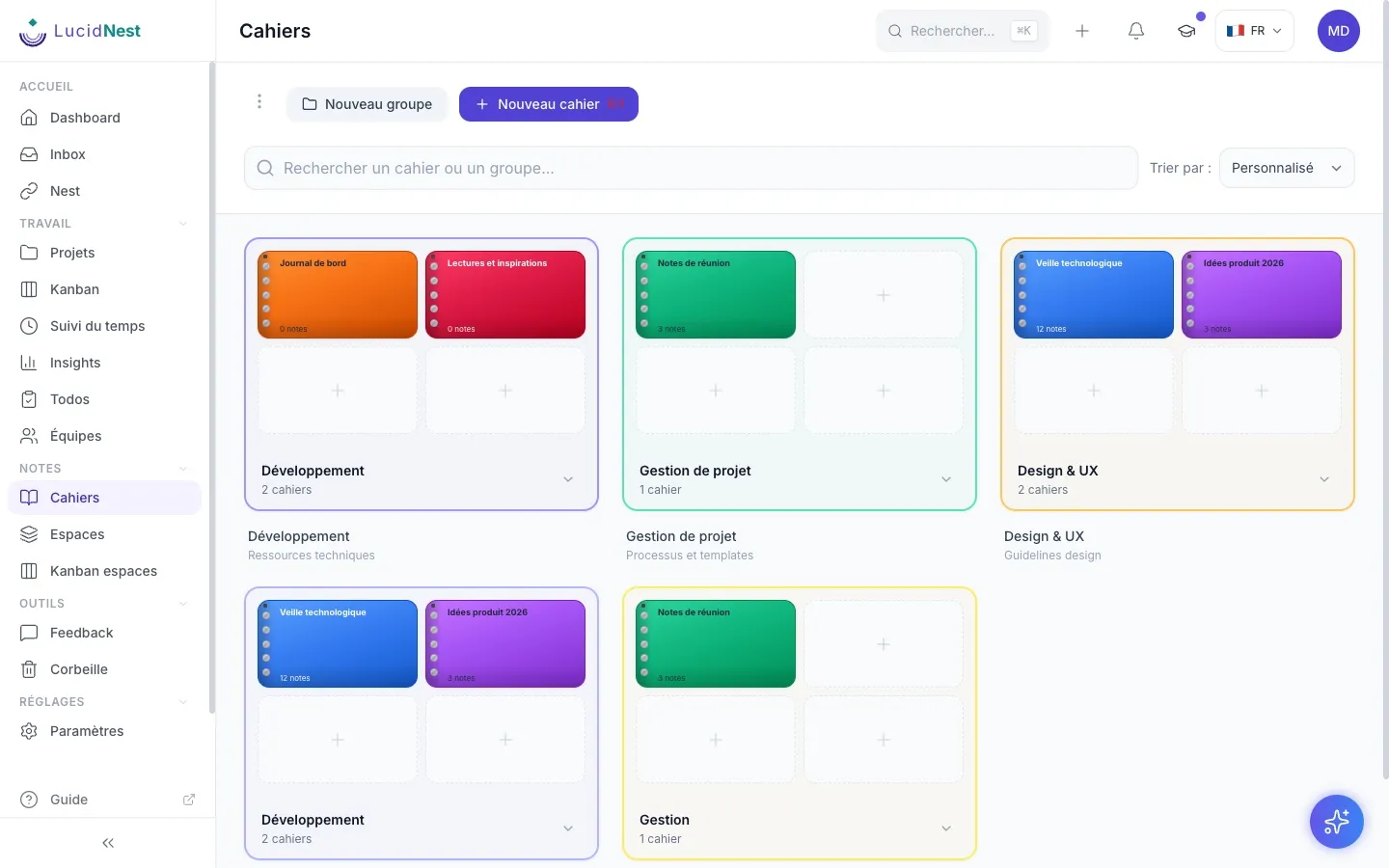
Cahiers et notes
-
Cahiers thématiques pour organiser tes notes
-
Éditeur markdown complet, type traitement de texte
-
Backlinks intelligents entre tes notes
-
Capture rapide depuis n'importe quelle page
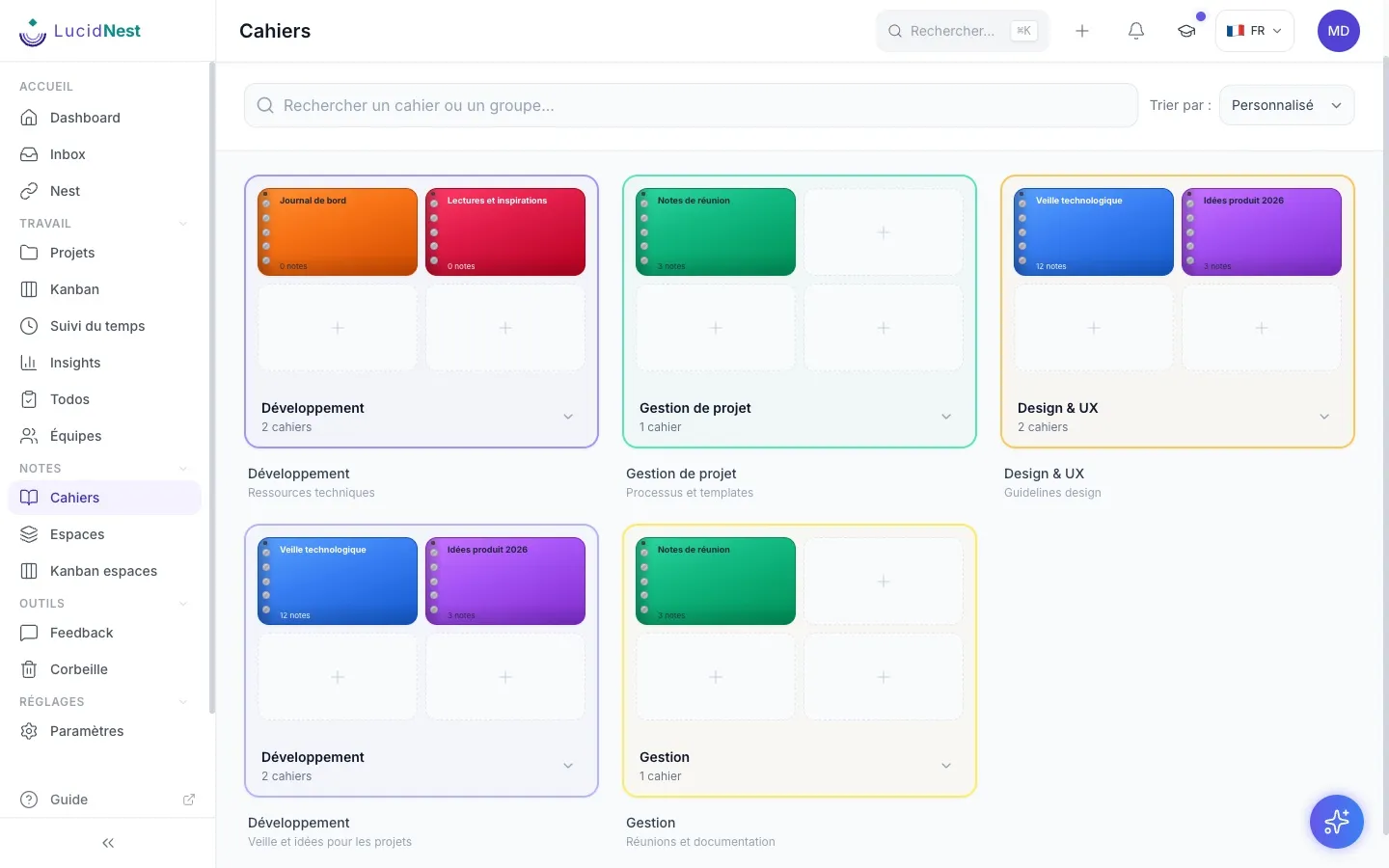
Groupes de cahiers
-
Regroupe tes cahiers par thématique
-
Glisser-déposer pour réorganiser
-
Compteurs automatiques de cahiers
-
Aperçu visuel avec couvertures
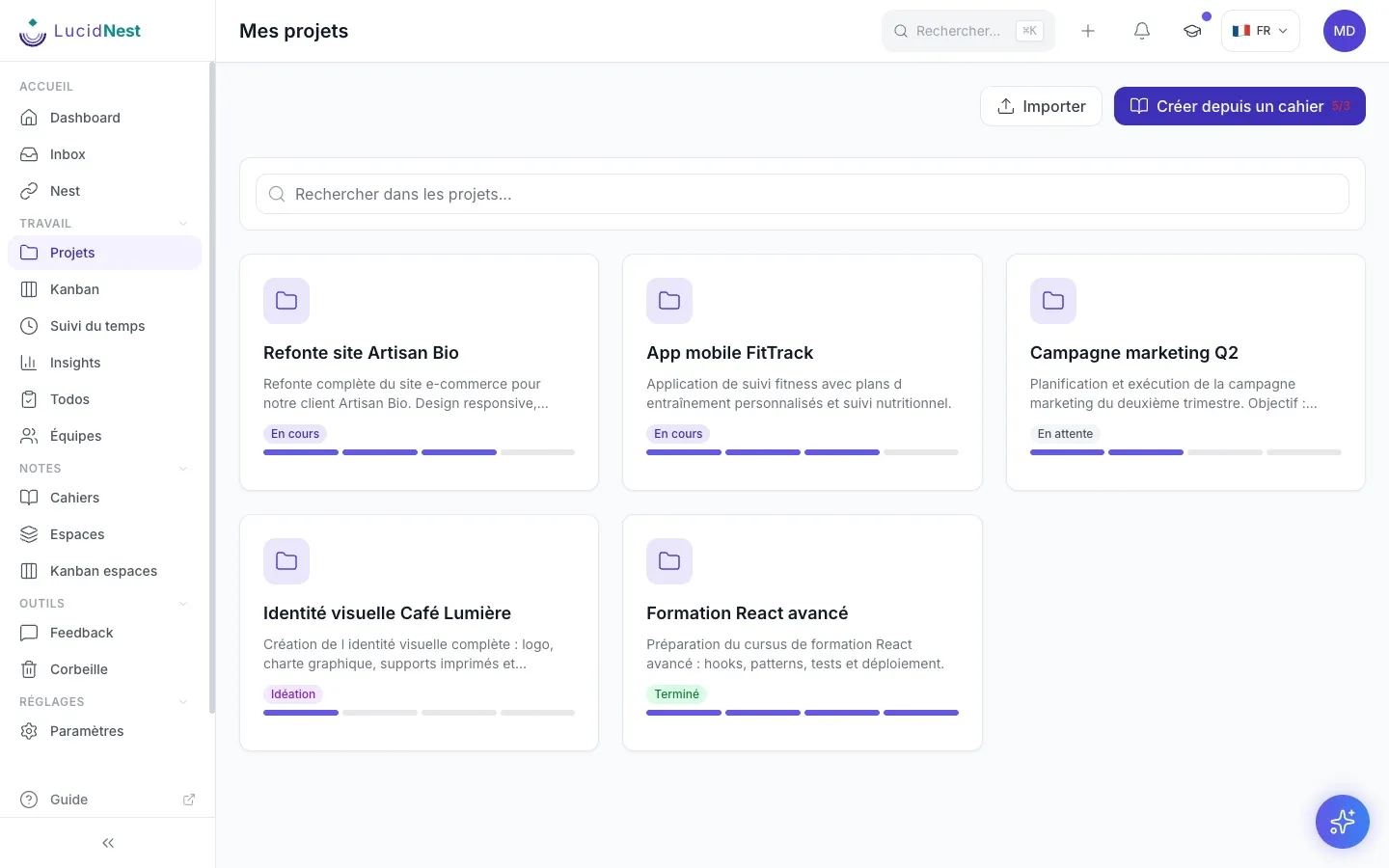
Gestion de projets
-
Liste complète de tous tes projets
-
Statuts visuels (idéation, en cours, terminé)
-
Notes liées automatiquement aux projets
-
Export et partage des données
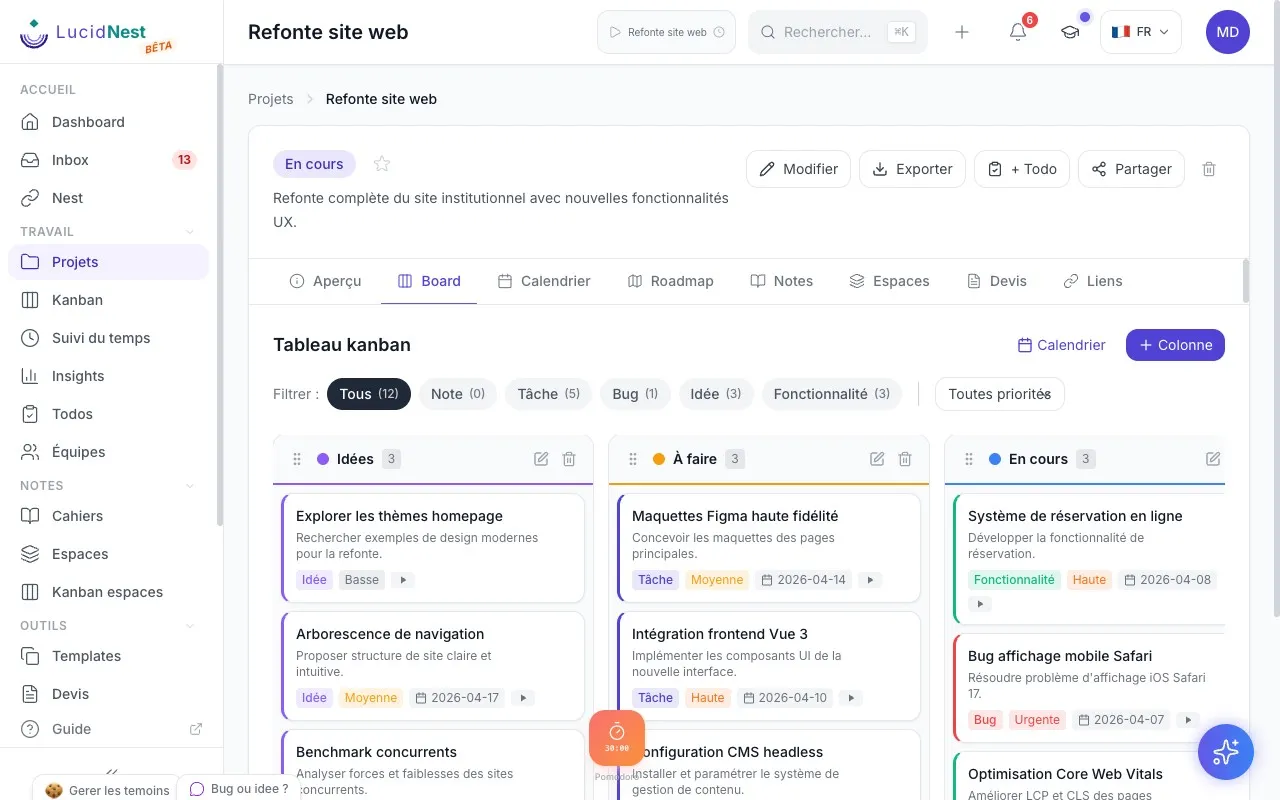
Tableaux kanban
-
Tableau dédié pour chaque projet
-
Colonnes entièrement personnalisables
-
Glisser-déposer fluide des cartes
-
Types de cartes (tâche, bogue, idée, fonctionnalité)
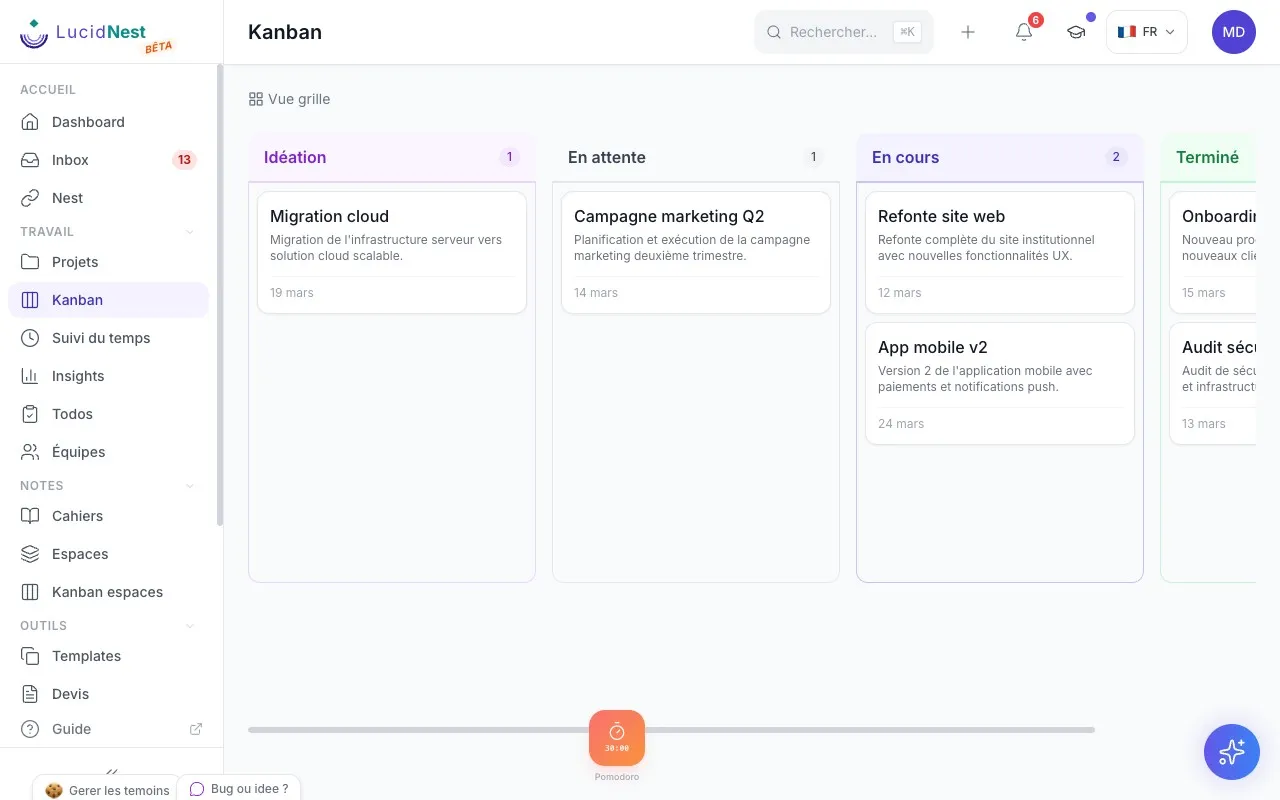
Kanban global
-
Vue kanban de tous tes projets à la fois
-
Filtres avancés par statut et priorité
-
Gestion en masse des éléments
-
Navigation rapide vers chaque projet
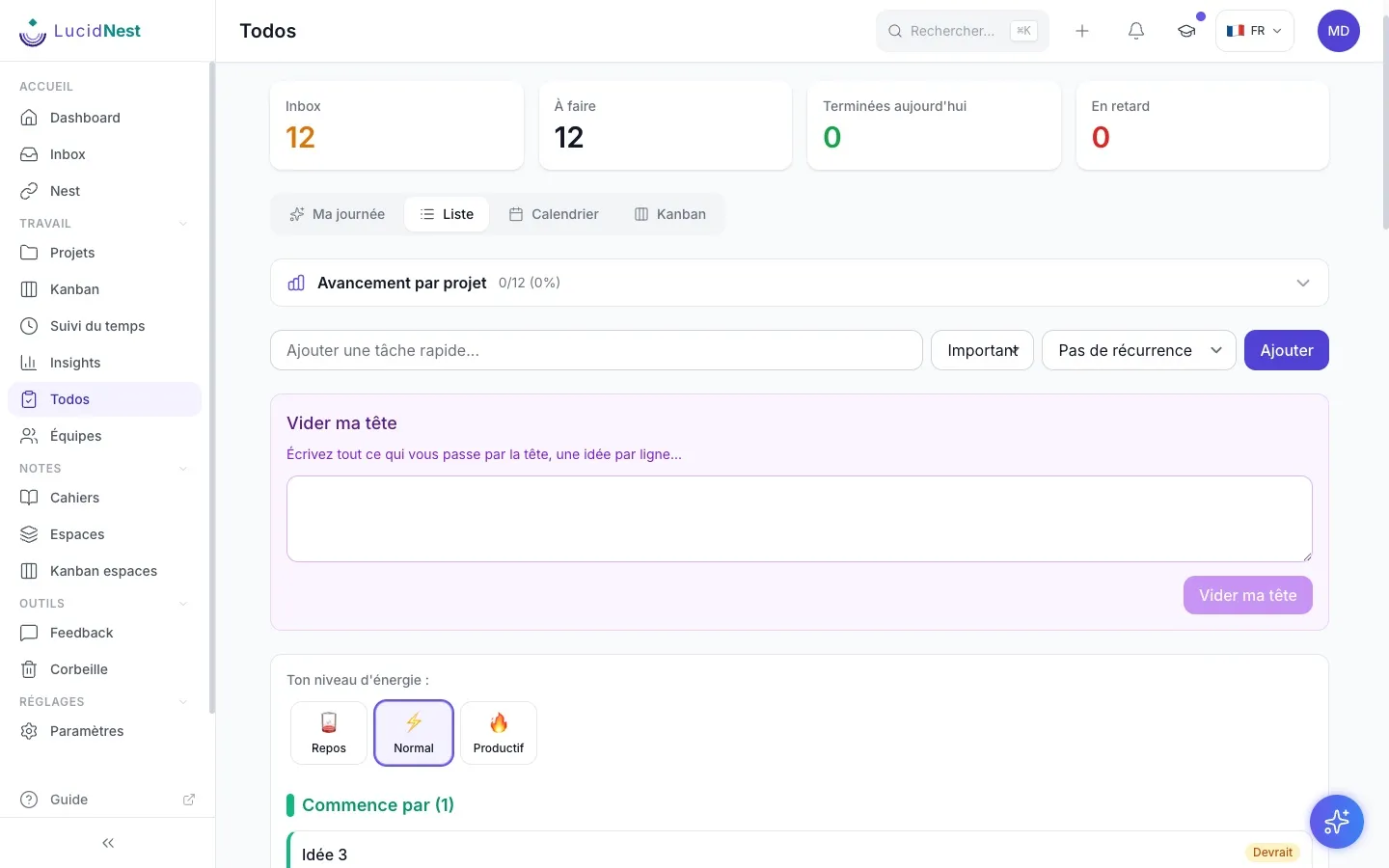
Todos intelligents
-
Priorités dynamiques qui s'adaptent
-
Tâches récurrentes automatisées
-
Niveaux d'énergie pour mieux planifier
-
Sous-tâches et export complet
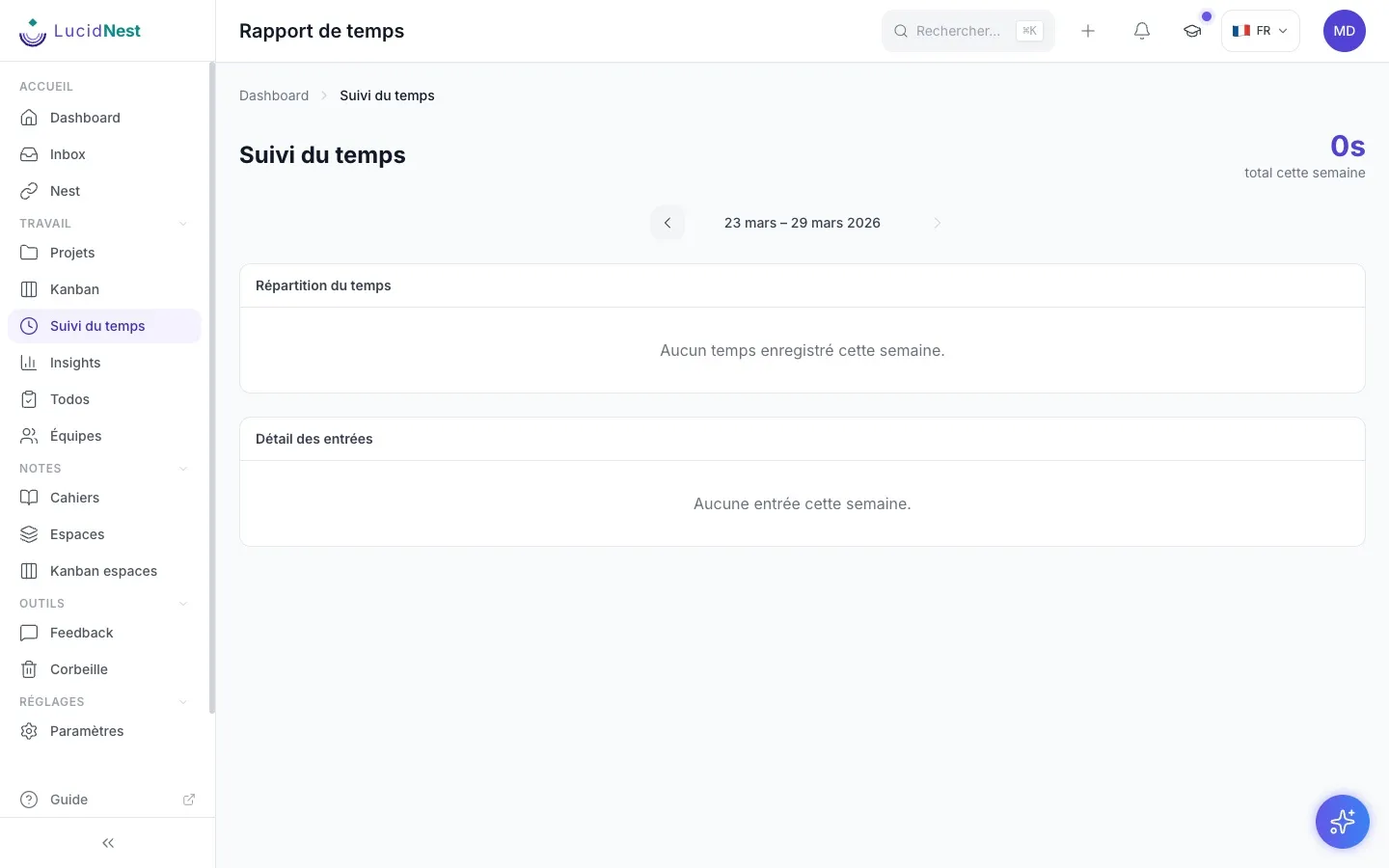
Suivi du temps
-
Minuteur Pomodoro intégré
-
Rapports visuels par projet et par période
-
Historique détaillé de tes sessions
-
Analyse de ta productivité au quotidien
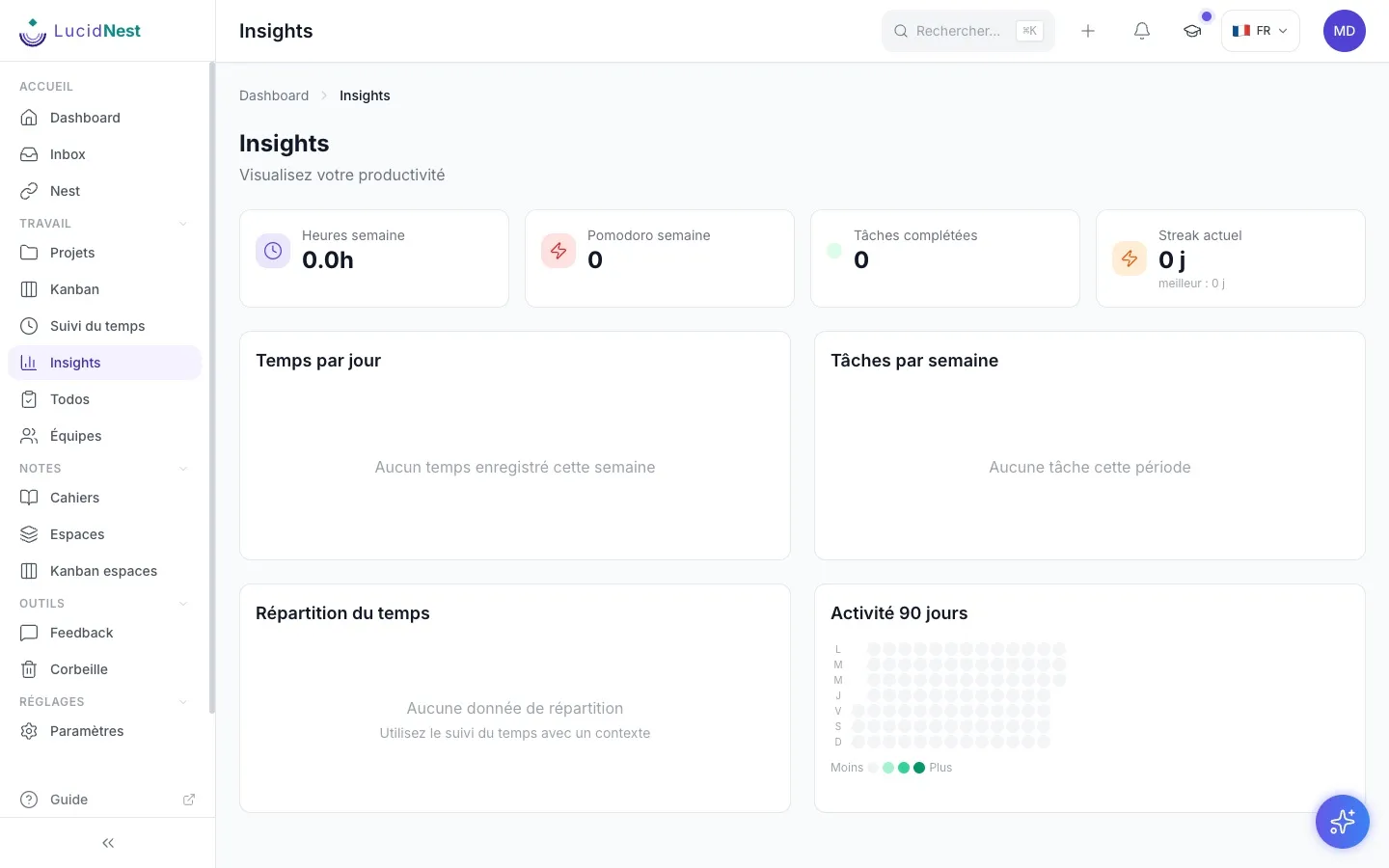
Ton activité en un coup d'oeil
-
Graphiques camembert et barres interactifs
-
Carte de chaleur de ton activité hebdomadaire
-
Tendances sur la période choisie
-
Résumé de tes tâches complétées et de ton temps suivi
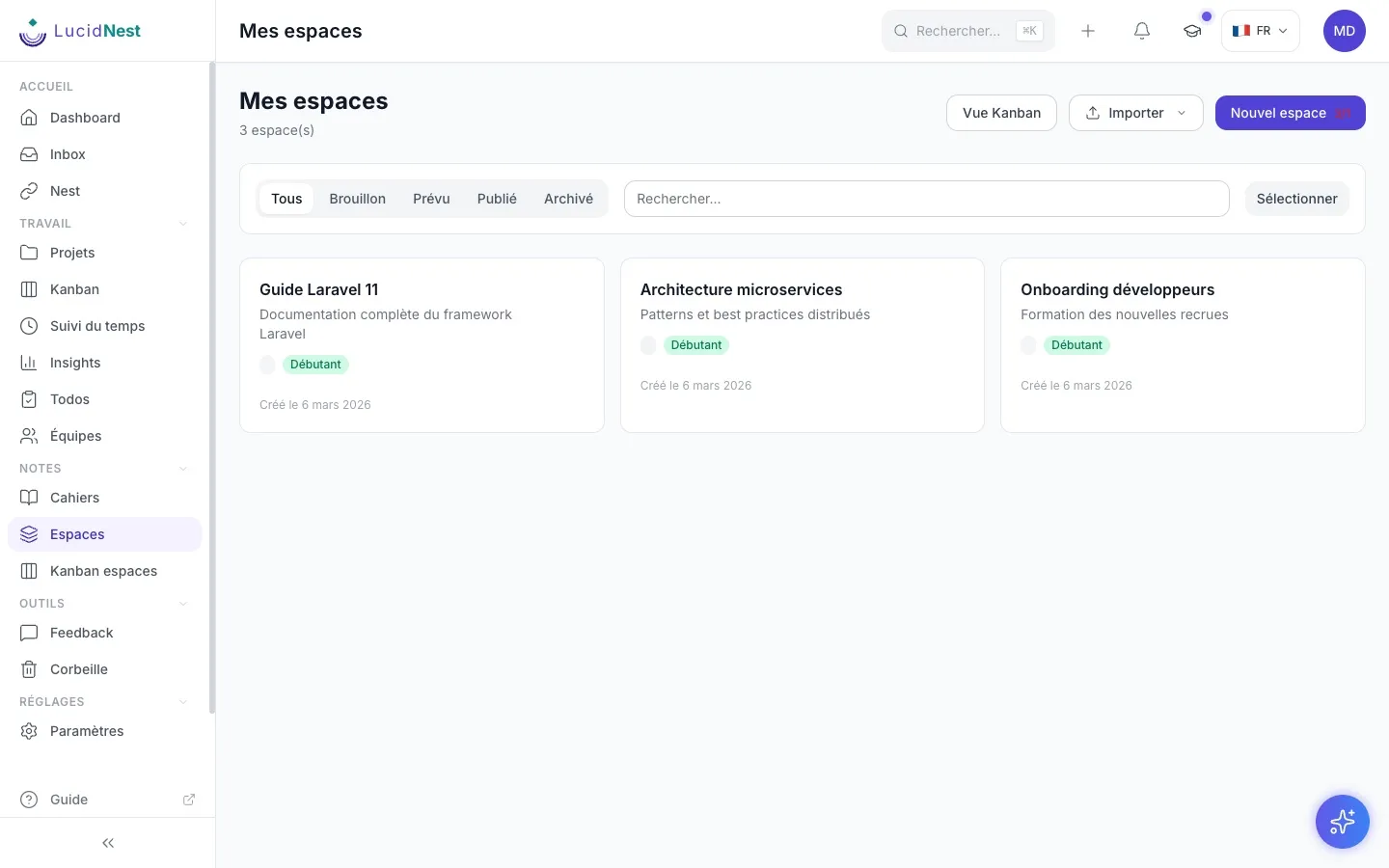
Cartographies structurées
-
Modules et leçons hiérarchisés
-
Blocs multimédias (texte, vidéo, code)
-
Suivi de progression intégré
-
Export PDF professionnel
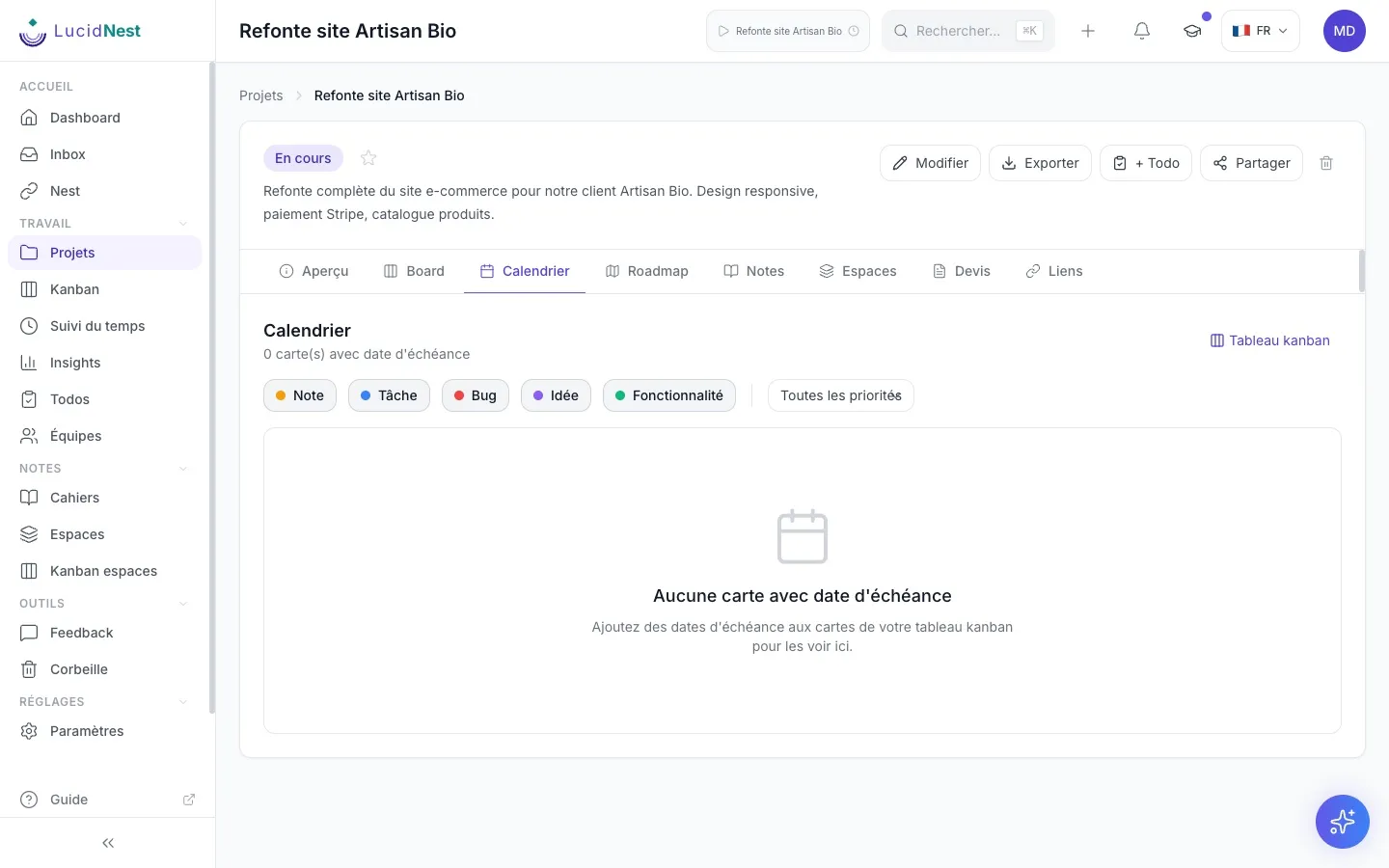
Tableau visuel
-
Modèles de démarrage (remue-méninges, carte mentale, flux de travail)
-
Noeuds connectés par des liens visuels
-
Types colorés (idée, tâche, note, question)
-
Export PNG et SVG haute qualité
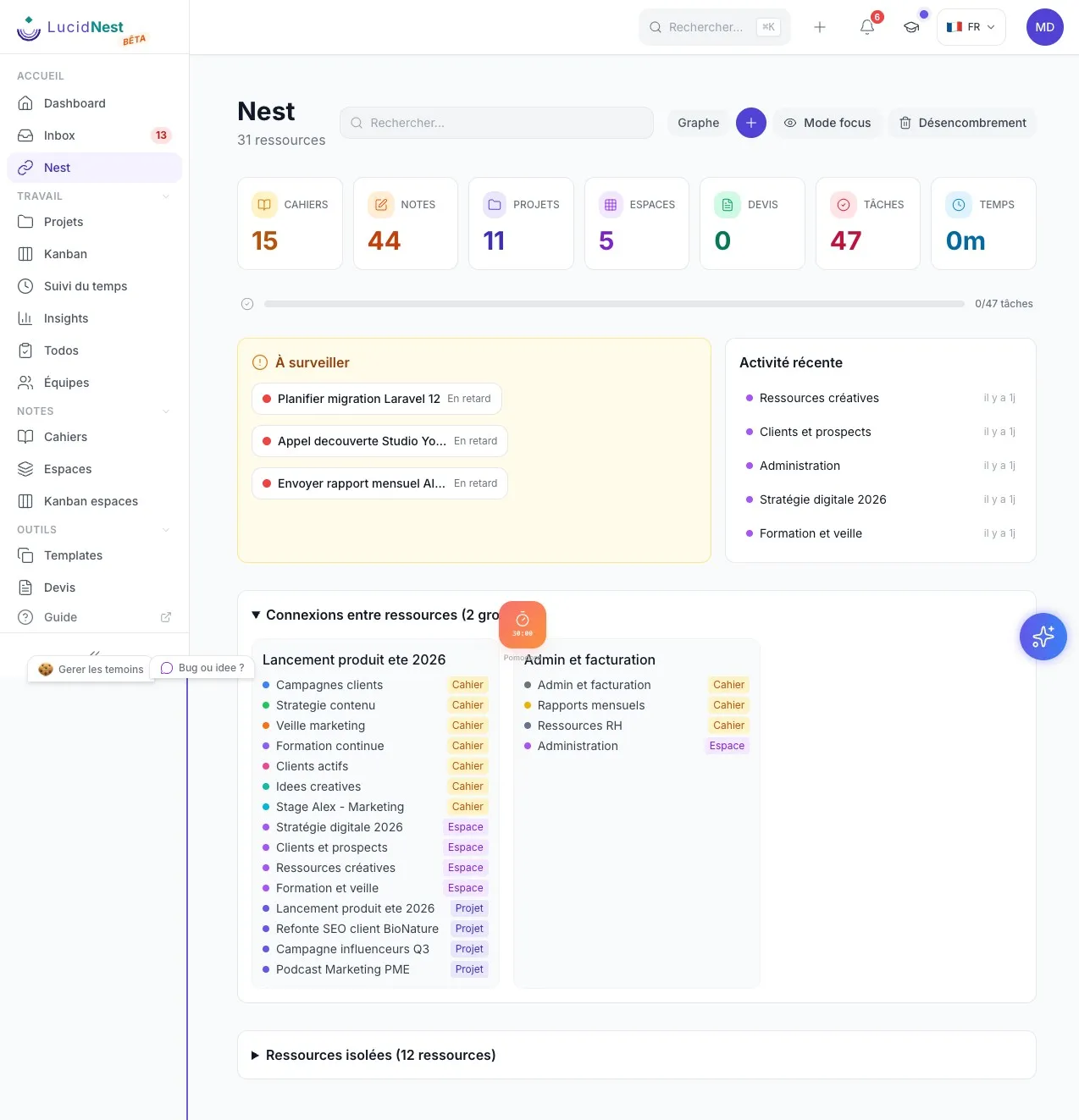
Nest, ta vue d'ensemble
-
Toutes tes ressources en un coup d'oeil (cahiers, projets, parcours)
-
Recherche globale qui filtre favoris et ressources isolées
-
Connexions entre ressources détectées automatiquement
-
Mode focus avec une seule tâche visible
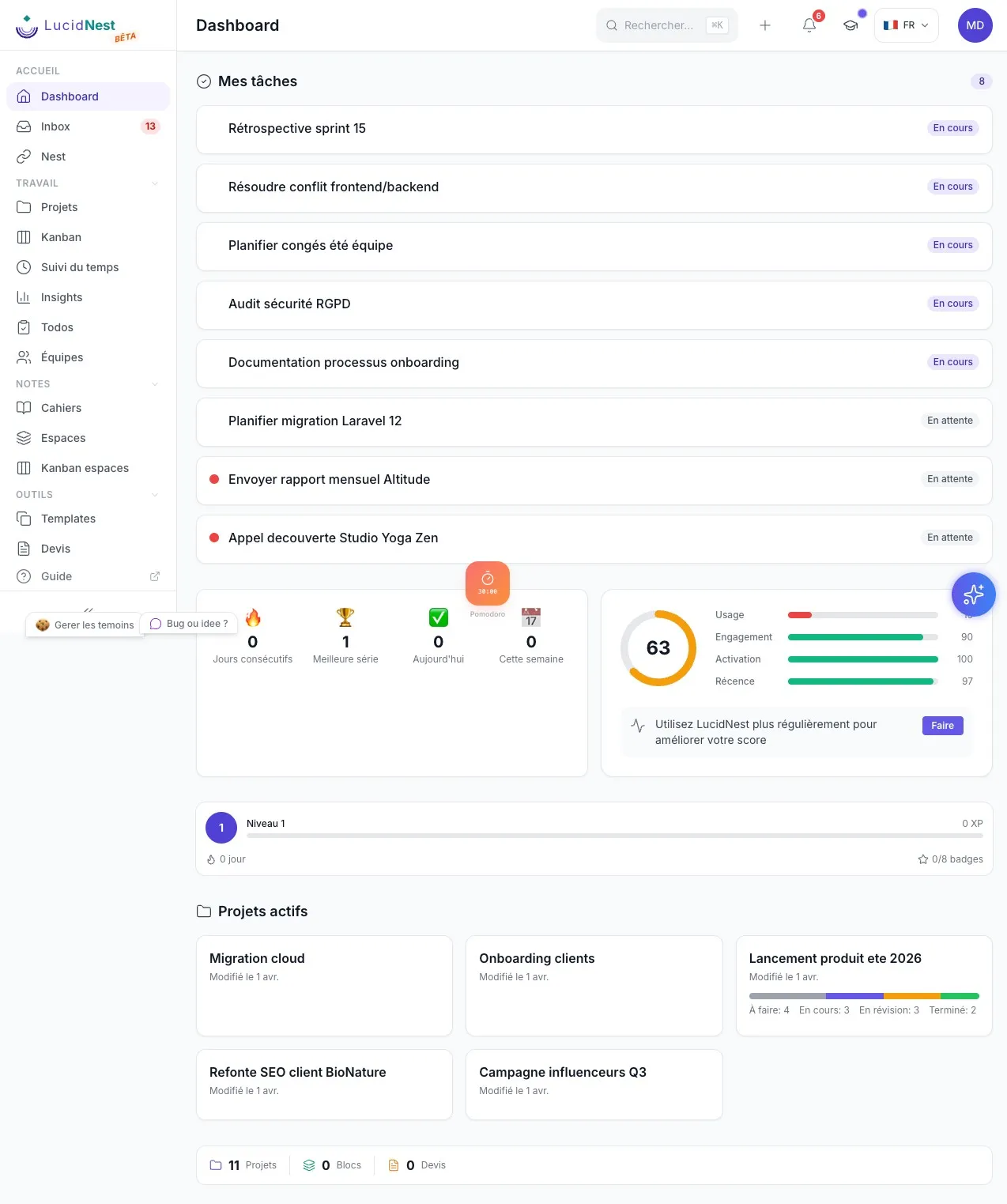
Ma journée
-
Tes tâches priorisées selon ton énergie du moment
-
Section « Commence par » avec ta tâche numéro un du jour
-
Tâches assignées par d'autres, visibles automatiquement
-
Confettis et son de victoire quand tu termines une tâche
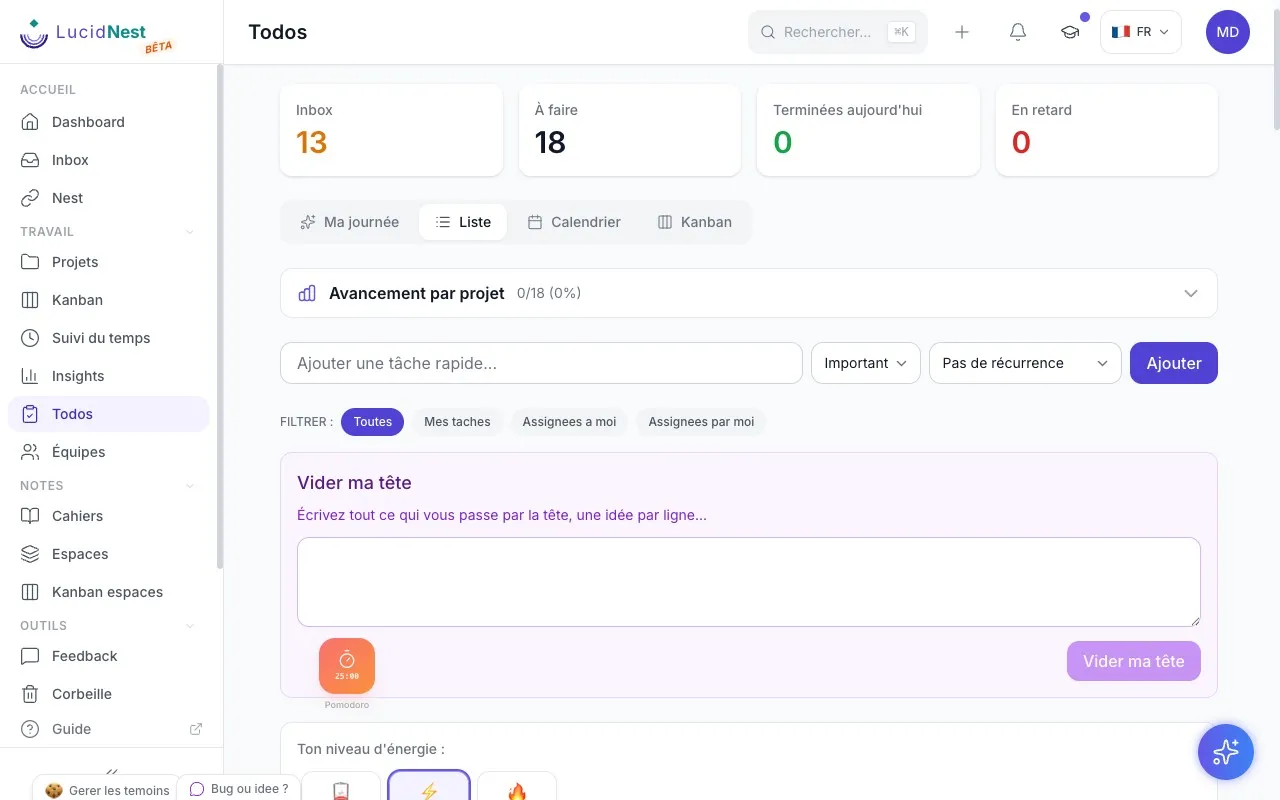
Filtres et assignation
-
Assigne des tâches à tes collaborateurs en un clic
-
Filtres : toutes, mes tâches, assignées à moi, assignées par moi
-
Ajout rapide, vidage de tête et récurrence
-
Progression par projet avec barre visuelle
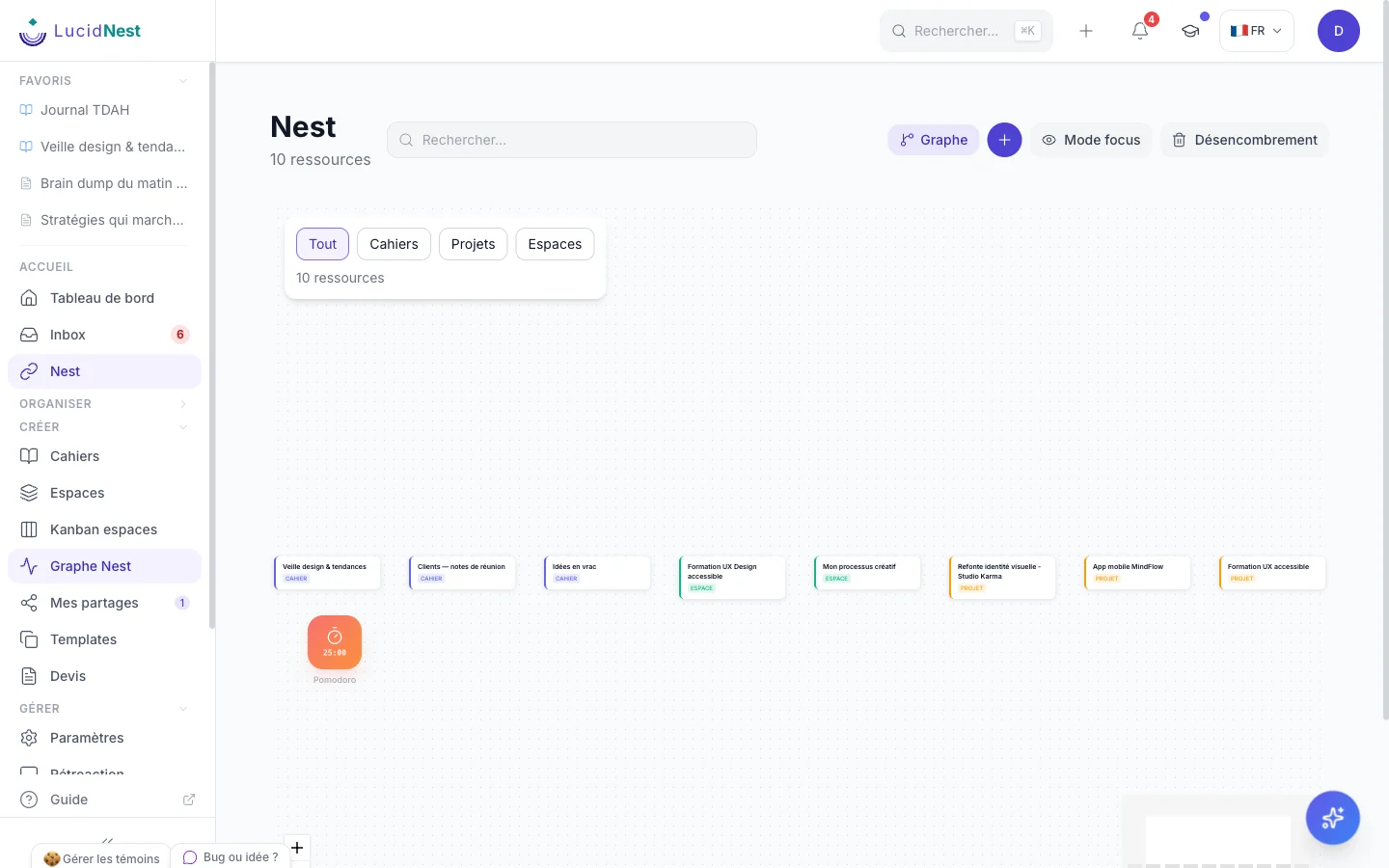
Graphe de connexions
-
Visualise les liens entre tes ressources
-
Filtres par type (cahiers, projets, parcours)
-
Navigation au clic vers chaque ressource
-
Minicarte et contrôles de zoom
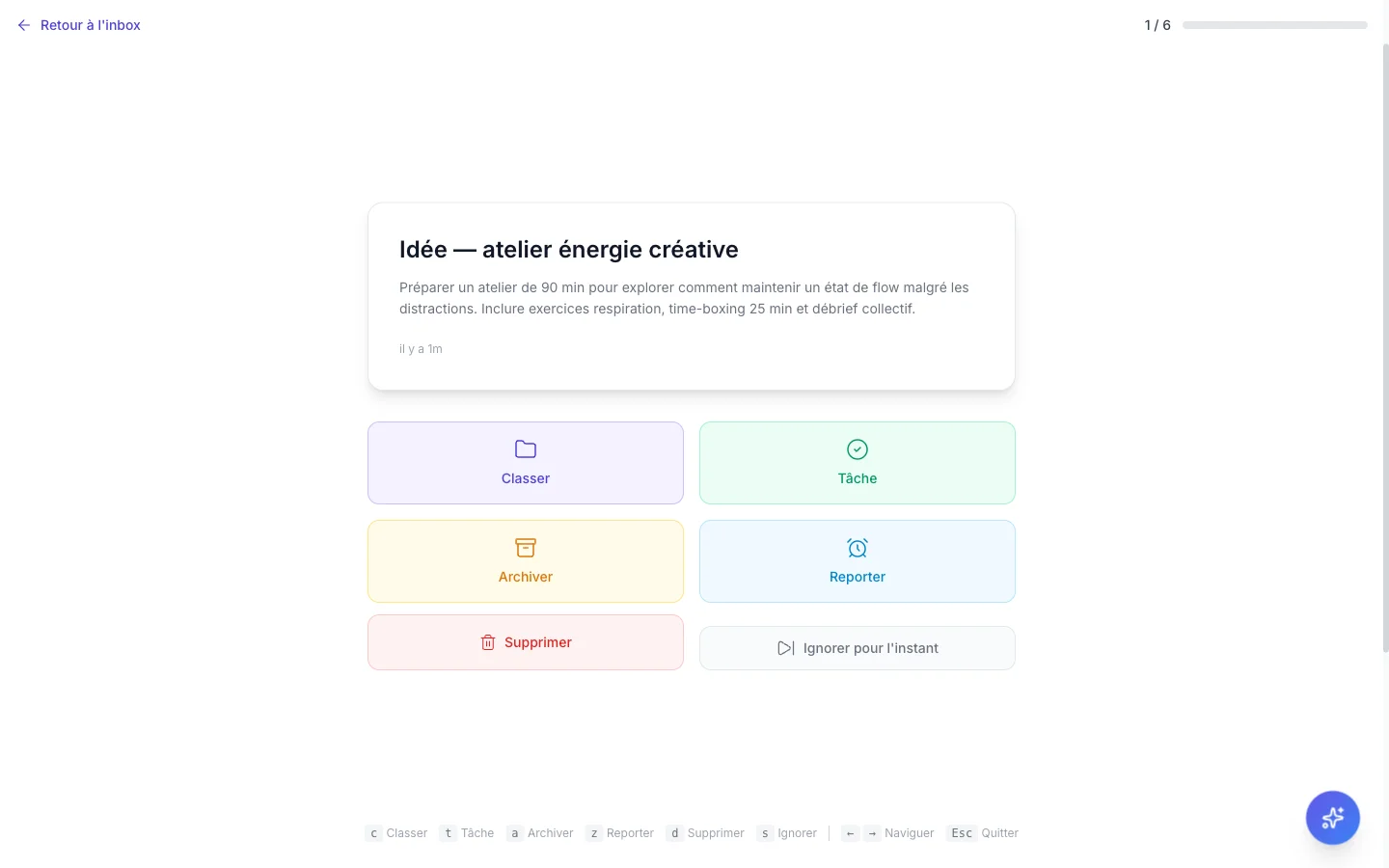
Triage intelligent
-
Trie tes notes une par une en mode carte
-
Actions rapides : classer, transformer en tâche, archiver, supprimer
-
Bouton « ignorer » pour remettre à plus tard
-
Raccourcis clavier pour un triage ultra-rapide
De l'aide qui réfléchit avant toi
Pas un chatbot de plus - de l'aide concrète pour démarrer, trier et voir clair.
Orliva, ton assistante
Pose une question, demande un résumé, ou fais générer un diagramme - en langage normal, pas en commandes.
Liste intelligente du jour
Chaque matin, tes tâches sont réordonnées selon le niveau d'énergie que tu indiques - pas seulement par date d'échéance.
Diagrammes en un message
Décris ce que tu as en tête, Orliva dessine le schéma - organigramme, ligne du temps ou carte mentale.
Une motivation qui ne juge jamais
Pas de classement, pas de série perdue qui punit - juste de quoi voir que tu avances.
Points d'expérience
Chaque tâche complétée, chaque note prise, chaque jour actif ajoute un peu d'expérience - une preuve visible que tu avances.
11 badges à débloquer
Un badge pour 30 jours actifs, un autre pour 100, un autre pour 250 - une reconnaissance qui ne redescend jamais à zéro.
Vue Ma journée
Ta tâche prioritaire du jour bien en évidence, ta progression visible, un peu de confettis quand tu la termines.
Conçu pour un cerveau qui déborde, pas contre lui
Trois réglages simples pour réduire la charge mentale, au quotidien.
Mode focus
Une seule tâche affichée à la fois - le reste disparaît de l'écran, pas seulement de ta tête.
Trier sans réfléchir
Une note à la fois, un raccourci clavier par action - classer 20 notes en 2 minutes plutôt que fuir la pile.
Un courriel devient une note
Transfère-le à ton adresse LucidNest, il atterrit dans ton inbox tout seul - rien à copier, rien à classer.
Partager sans perdre le contrôle
Ta famille, ta classe ou ton équipe : tu choisis qui voit quoi, et tu peux toujours reprendre l'accès.
Partage externe sécurisé
Partage une note, un cahier ou un parcours avec quelqu'un en dehors de ton équipe - accès vérifié, révocable en un clic.
Qui peut faire quoiForfait Pro
Lecture seule, modification, ou pleine administration - tu choisis le rôle exact pour chaque ressource partagée.
Historique des accès
Tu sais qui a consulté ou modifié quoi, et quand - utile en famille, indispensable en équipe.
Un lien pour tout un groupeForfait Pro
Invite toute une classe, ta famille ou un atelier avec un seul lien - mot de passe si tu veux, révocable en un clic, sans payer par personne.
Branché sur ce que tu utilises déjà
Ton agenda, tes propres systèmes, ton IA préférée - LucidNest s'ajoute à ce que tu utilises déjà.
Google Calendar et Tasks
Ajoute une tâche ici ou dans Google : elle apparaît des deux côtés, sans avoir à choisir où tu notes les choses.
Pour brancher tes propres outilsForfait Pro
Une API complète et documentée si tu veux connecter LucidNest à autre chose - pensée pour qui sait déjà coder.
Des alertes dans tes propres systèmes
Reçois une notification ailleurs dès qu'un évènement se produit ici - pratique si tu automatises déjà des choses.
Capture en restant sur ta page
L'essentiel de LucidNest greffé à ton navigateur, pour ne jamais interrompre ce que tu es en train de faire.
Capture une page web
Clique une fois : la page entière, ou juste ce que tu as sélectionné, devient une note - sans copier-coller.
Minuteur anti-distraction
Un chrono qui bloque aussi les sites qui te font dévier pendant ta session de concentration.
Panneau à portée de main
Notes, cahiers, projets et tâches dans un panneau latéral, recherche rapide au mot-clé « ln », même hors ligne.
La sécurité qui ne se voit pas, jusqu'à ce que tu en aies besoin
Double authentification, chiffrement des échanges sensibles, et un contrôle complet sur tes données.
Chiffrement des échanges sensibles
Tes jetons de connexion et tes codes de vérification ne circulent jamais en clair.
Double authentification
Ajoute un deuxième verrou à ton compte, avec des codes de secours si tu perds ton appareil.
Conformité RGPD
Exporte toutes tes données en un clic, demande leur suppression complète, et choisis ce que tu acceptes côté cookies.
Prêt à arrêter de tout retenir par coeur ?
Commence gratuitement, sans carte de crédit. Ajoute ce dont tu as besoin, seulement quand tu en as besoin.